Shared passwords without an owner
Know who is responsible for a company credential and who should still have access.
AVAILABLE NOW / SYNTHETIC EVALUATION
Exercise deployed exact-term approval, single-use redemption and a matched synthetic receipt. Generate a separate browser key, encrypt a supplied test login, lock and read it back. Company sharing, device distribution and provider operations keep their separate release gates.
Run live evaluation lab2AYE VAULT FOR ENTERPRISE
Explore a connected approach to employee access, service credentials and governed automation. Keep personal passwords separate from company administration.
Enterprise product direction · Team sharing and device access are not released. Customer storage remains disabled.
RESPONSIBILITY, AT A GLANCE
THE BUSINESS PROBLEM
Know who is responsible for a company credential and who should still have access.
Plan membership removal, key changes and destination checks as part of offboarding.
Keep service credentials away from prompts and broad agent tool payloads.
Connect a concern to its resource, responsible owner and narrowly authorized remediation.
ENTERPRISE CAPABILITIES
Labels describe implementation maturity, not released enterprise entitlements.
Connect company ownership and recipient-specific access. Reviewed sharing and key distribution remain required.
Explore team ownership ↗
Company policy and access reviews belong in Console. Vault-specific offboarding needs integration and destination confirmation.
Explore sponsored access ↗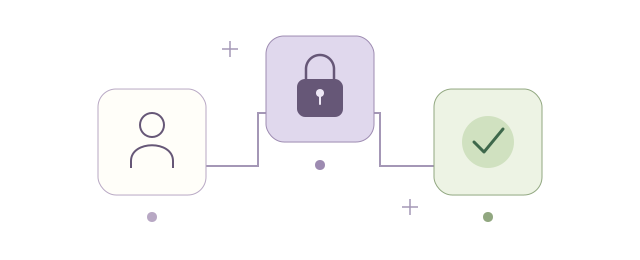
Local length and reuse checks exist in the synthetic workspace. Enterprise reporting and provider-backed breach monitoring remain planned.
Understand local checks ↗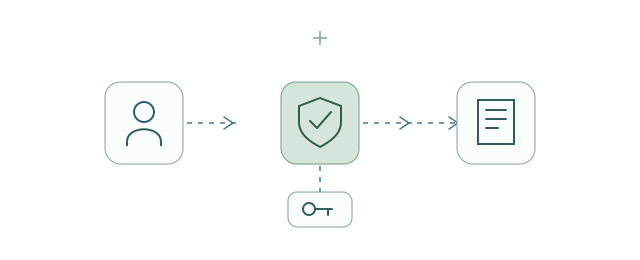
Reuse the existing 2AYE authorization, approval and evidence foundation. The Vault broker integration is not personal-password retrieval.
Explore agent boundaries ↗FOLLOW THE COMPANY JOURNEY
Explore onboarding, offboarding, credential incidents and governed agents. These walkthroughs explain decisions; they do not execute live operations.
Design walkthrough · No account, secret or live operation is used.
STEP 1 OF 6
Use canonical organization identity and complete the required verification.
STEP 2 OF 6
Resolve each employee from current membership, not an email-domain guess.
STEP 3 OF 6
Create the reviewed company vault context without moving personal passwords into administrator custody.
STEP 4 OF 6
Bind access and wrapped keys to approved recipients. This distribution design requires independent review.
STEP 5 OF 6
Use Console policy and access-review records to track joins, role changes and departures.
STEP 6 OF 6
Remove future access, apply the approved rekey/rotation plan and obtain relevant destination confirmation. Previously copied plaintext cannot be recalled.
Design walkthrough · Powered by the 2AYE platform · No account, secret or live operation is used.
STEP 1 OF 6
Start from a local check or an authorized risk observation. Local length/reuse checks are not breach monitoring.
STEP 2 OF 6
Identify the company resource, responsible owner and dependent applications or agents.
STEP 3 OF 6
Create an exact credential-rotation request with the intended resource and material parameters.
STEP 4 OF 6
Use the existing human-approval service. A model recommendation never creates authority.
STEP 5 OF 6
Use a protected connector under current policy and a valid, bound authorization.
STEP 6 OF 6
Confirm the new service credential works and the old one is refused. A successful API response alone is insufficient.
Design walkthrough · Powered by the 2AYE platform · No account, secret or live operation is used.
STEP 1 OF 6
Use a supported, explicitly authorized test integration. A catalog entry is not provider acceptance.
STEP 2 OF 6
Use a registered canonical agent with a responsible human or company owner.
STEP 3 OF 6
Describe the permitted action, resource, limits and expiry.
STEP 4 OF 6
Escalate when required through the existing approval flow.
STEP 5 OF 6
Redeem valid bound authority at the protected destination. Never return personal Vault plaintext to the agent.
STEP 6 OF 6
Use independent destination read-back where applicable, then keep the authorization and effect receipts.
Design walkthrough · No account, secret or live operation is used.
STEP 1 OF 5
Identify the current company membership, owner and affected organizational credentials.
STEP 2 OF 5
Apply the authorized company policy and stop new session, share and key-distribution access.
STEP 3 OF 5
Use the reviewed sharing protocol and governed service-credential rotation. These Vault integrations remain planned.
STEP 4 OF 5
Verify removal at each relevant destination. An internal role update does not prove external removal.
STEP 5 OF 5
Retain authorized evidence and account for previously copied credentials, keys and backups.
ONE PLATFORM, DISTINCT RESPONSIBILITIES
This is a responsibility model, not another administration backend. Vault-specific enterprise controls are still being developed.
Canonical membership, company-wide policy, access reviews and offboarding coordination.
Explore security workflows ↗Personal ownership and planned employee-facing company contexts, with separate unlock and reviewed encrypted persistence.
Workspace availability ↗Bounded service-credential actions, approval where required, destination enforcement and effect evidence.
Developer boundaries ↗
SECURITY ARCHITECTURE
The intended model encrypts on the approved client and stores ciphertext in an authorized backend. Personal and company custody need distinct authorization and key boundaries.
No Platform Owner plaintext recovery shortcut or personal-password access for agents is permitted. Key, device, sharing and recovery designs remain subject to independent assessment.
Follow the complete flow map ↗IDENTITY & CLIENT ECOSYSTEM
Existing platform services provide a foundation. Each Vault integration and client needs its own acceptance.
Existing-account Login return has local evidence. Complete registration, production sessions and verified company contexts remain open.
Review the configured identity provider, current memberships and removal behavior. Released Vault SSO or SCIM support is not established.
Chromium synthetic fixtures are locally tested. Each installed browser release needs acceptance.
Native Vault autofill, reviewed keys and physical Android/iOS verification remain required.
INDUSTRY CONTEXT
Examples support evaluation. They do not imply regulatory certification or an accepted integration with a specific business system.
Company ownership, staff transitions and reviewable credential access.
Explore company workflows ↗Developer secrets, client separation and governed service operations.
Explore developer workflows ↗Bounded support automation, supplier access and verified credential changes.
Explore agent workflows ↗TRUST & READINESS
Customer storage and device-key distribution remain disabled. No independent assessor has been selected. Critical findings and acceptance must be resolved before customer credential use.
Read the Trust Center ↗ENTERPRISE QUESTIONS
No. This page explains the product direction. Company administration belongs in the existing 2AYE Console; Vault-specific enterprise controls are not yet released.
Administrator status must not confer personal decryption authority. Local ownership checks refuse that access; production cryptographic isolation still needs independent review.
No personal-password retrieval tool is offered. Agent operations use separately governed organizational service credentials through protected connectors.
No complete customer-release claim is made. Each integration, key protocol, installed client and provider journey needs its stated implementation and acceptance evidence.
Pricing is agreed per customer based on scope. Use the Pricing menu or request an enterprise evaluation discussion. No plan, subscription or paid entitlement is activated by an enquiry.
The Request a Demo page sends a bounded business enquiry through the existing contact service. It does not create an account, activate storage, confirm a meeting or authorize a provider operation.
MAKE THE NEXT STEP SPECIFIC
Discuss identity, ownership, devices, recovery and required evidence. Keep passwords, keys and production tokens out of enquiry forms.